Fluxketch
A difference of posture, not tools
Laptop CAD is used sitting down, two hands, mouse and keyboard. Mobile CAD is used standing, one hand holding, the other with a pen. So even though both are 'editing', the site needs check, fix, record, print, while the office does design, tidy, manage sets.
Comparison
| Item | Laptop / PC CAD | Mobile CAD (iPad) |
|---|---|---|
| Posture | Seated, two hands | Standing, one hand + pen |
| Input | Mouse, keyboard, command line | Apple Pencil, touch, keypad |
| Good at | Design, bulk edits, Xref sets, batch plotting | Site checks, fixes, markup, pins, scale output |
| Offline | Yes | DXF and PDF yes (DWG needs a connection only for first conversion) |
| Photos and notes | Separate apps | On pins — position is the record |
| 3D | Yes | Fluxketch is 2D only |
| Boot and setup | Minutes | Seconds |
| Handoff | DWG, PDF | DXF, plot PDF, report |
What to hand to the iPad
- Site checks. See 1:50 as 1:50 with the true-scale ruler and measure between two taps.
- Small fixes. One wall line, one dimension, one text. With snaps and a keypad it's done on the spot.
- Records. Photo pins, markup and notes stick to drawing coordinates — the position is the record.
- Output. Send a scale-true plot PDF and a report from the meeting itself.
What stays at the office
- 3D modeling and rendering.
- Tidying large sets tangled with external references, batch-plotting dozens of sheets.
- Saving to DWG. Office CAD saves the DXF that came back from mobile as DWG.
- Standards — dimension styles, drawing templates.
'Not enough performance' is no longer the reason
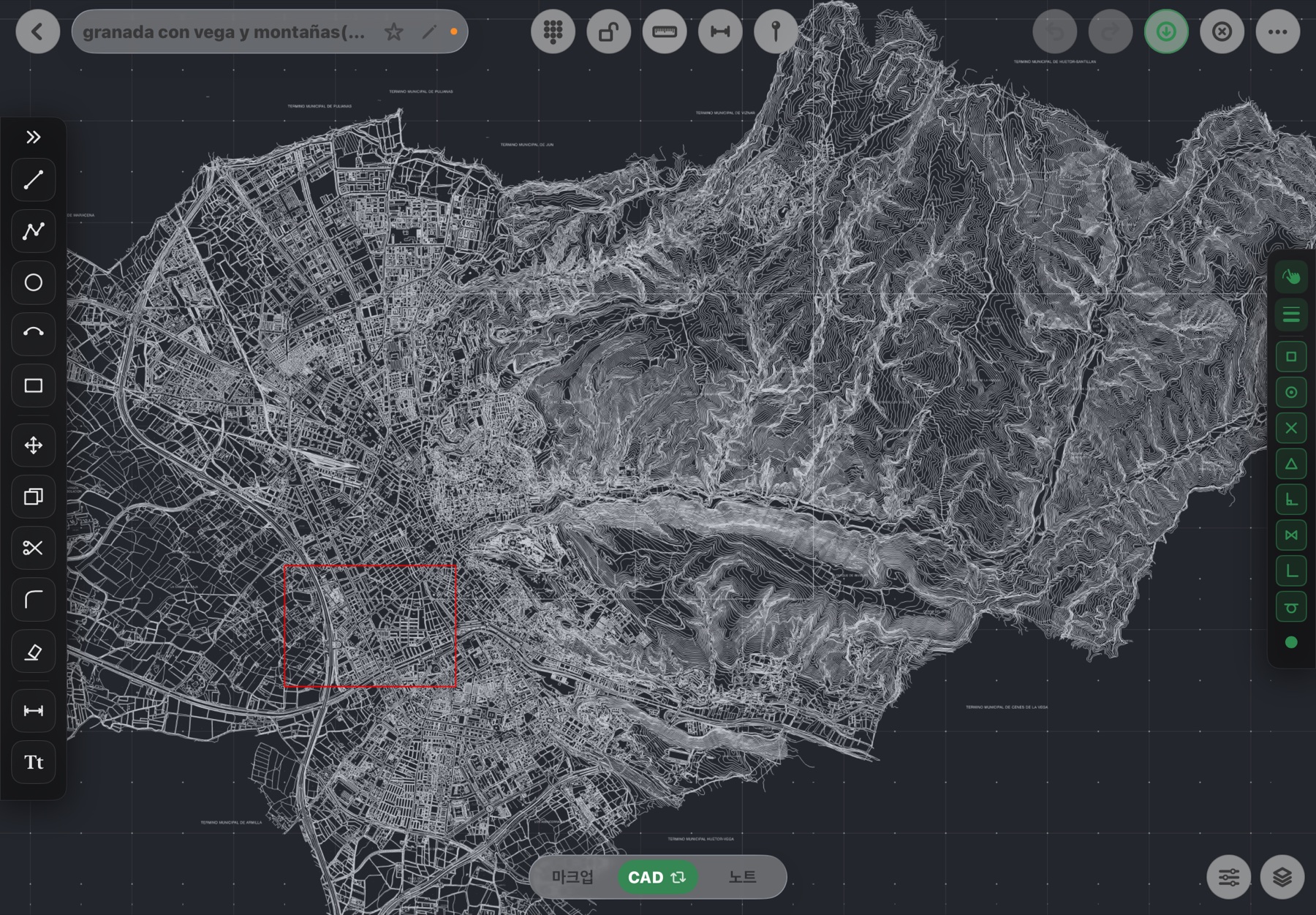
M-series iPads pan and zoom at 60 Hz on a 180,000-entity drawing and handle 188 layers as-is. A memory gate checks the device's free memory before opening, so it's not 'crashes while opening' but 'tells you why it can't'. What remains is posture and input.
What connects the two: the round trip
Export DWG or DXF from the office, open and work on the iPad on site, and send back DXF plus a plot PDF and report. When layers, colors, weights and linetypes survive the round trip, nothing gets redrawn. Choosing the format: DWG vs DXF; opening: How to open DWG on iPad.
Fluxketch is the app for the 'Mobile CAD (iPad)' column above. If you need site checks, fixes, records and output, try the beta.
Download on the App Store