How is a mobile CAD different from a CAD viewer?
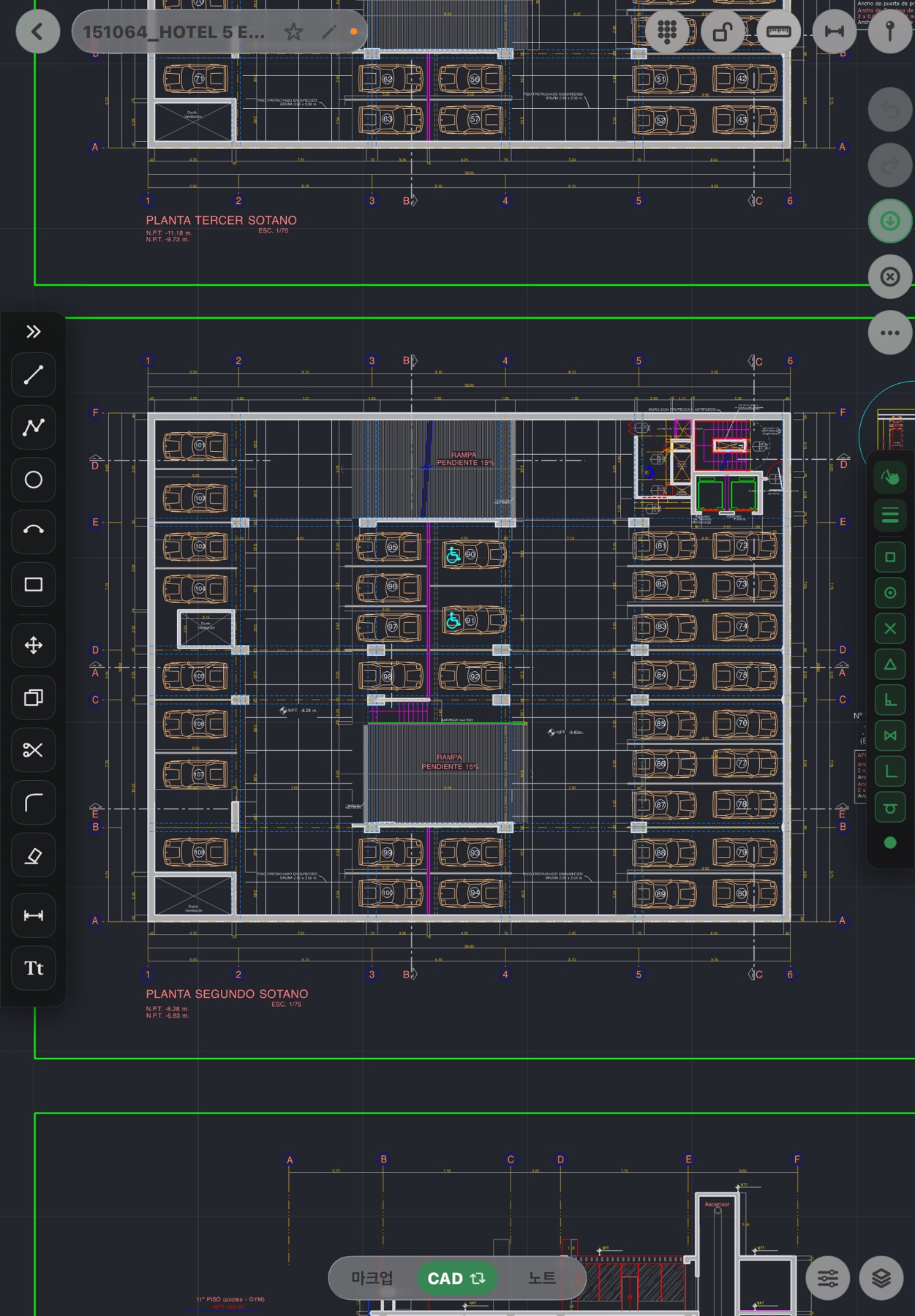
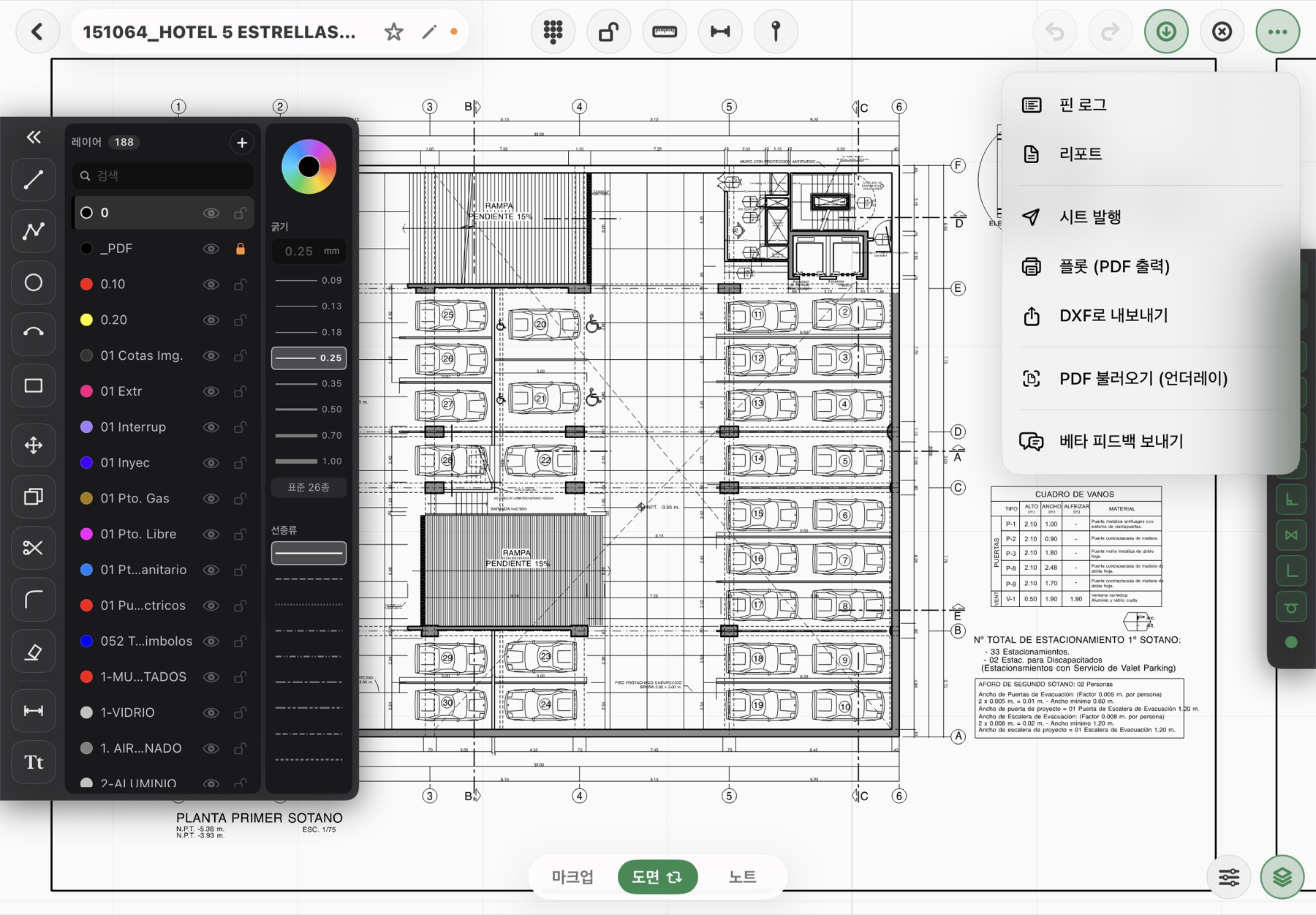
A viewer opens and measures, then stops. Fluxketch draws lines, circles and dimensions, moves, copies and trims entities, toggles layers and changes their color, weight and linetype, then exports the result to DXF and scale-true PDF.
Does it run on a phone?
No. Fluxketch is iPad-only. Drawings need a large screen and the precision of Apple Pencil, so there is no iPhone or Android version.
Does it work on a site without a connection?
Opening DXF and PDF, drafting, markup, pins and plotting are all offline. Only the first opening of a DWG needs the conversion server, so open it once before you leave or save as DXF on a PC.
Can it take big drawings?
Verified at 60 Hz pan and zoom on a 180,000-entity drawing and on a drawing with 188 layers handled as-is. A memory gate checks the device's free memory before opening and tells you why if it can't.
How do I keep site records?
Drop a pin and attach a photo and a note. Pins are locked to drawing coordinates, so the position is the record; the pin log is the list, and it prints as a report in seven document formats (inspection, instruction, meeting and more).
What happens back in office CAD?
DXF export carries layers, colors, weights and linetypes. Markup ink and pins print into the plot PDF. Saving to DWG is not supported yet — open the DXF in PC CAD and save as DWG.
Can I hold it upright?
Yes. In portrait the tool cluster moves to a vertical column on the right and palettes open from the right edge, matching a one-hand hold with the Pencil in the other.
Korean and English?
Both. The app and its document formats are localized in Korean and English, and the language chosen on first launch can be changed in Settings.
 Fluxketch