Fluxketch
When markup counts as a record
- Locked to drawing coordinates. Strokes stored in drawing coordinates, not screen pixels, stay put after zoom, pan or a scale change.
- Saved with the drawing. Markup inside the drawing file travels with it.
- Included in output. Ink and pins must print into plot PDFs and reports to become meeting material.
- Photos and notes with a position. A camera-roll photo doesn't know where it was. A photo on a pin makes the position the record.
Tools
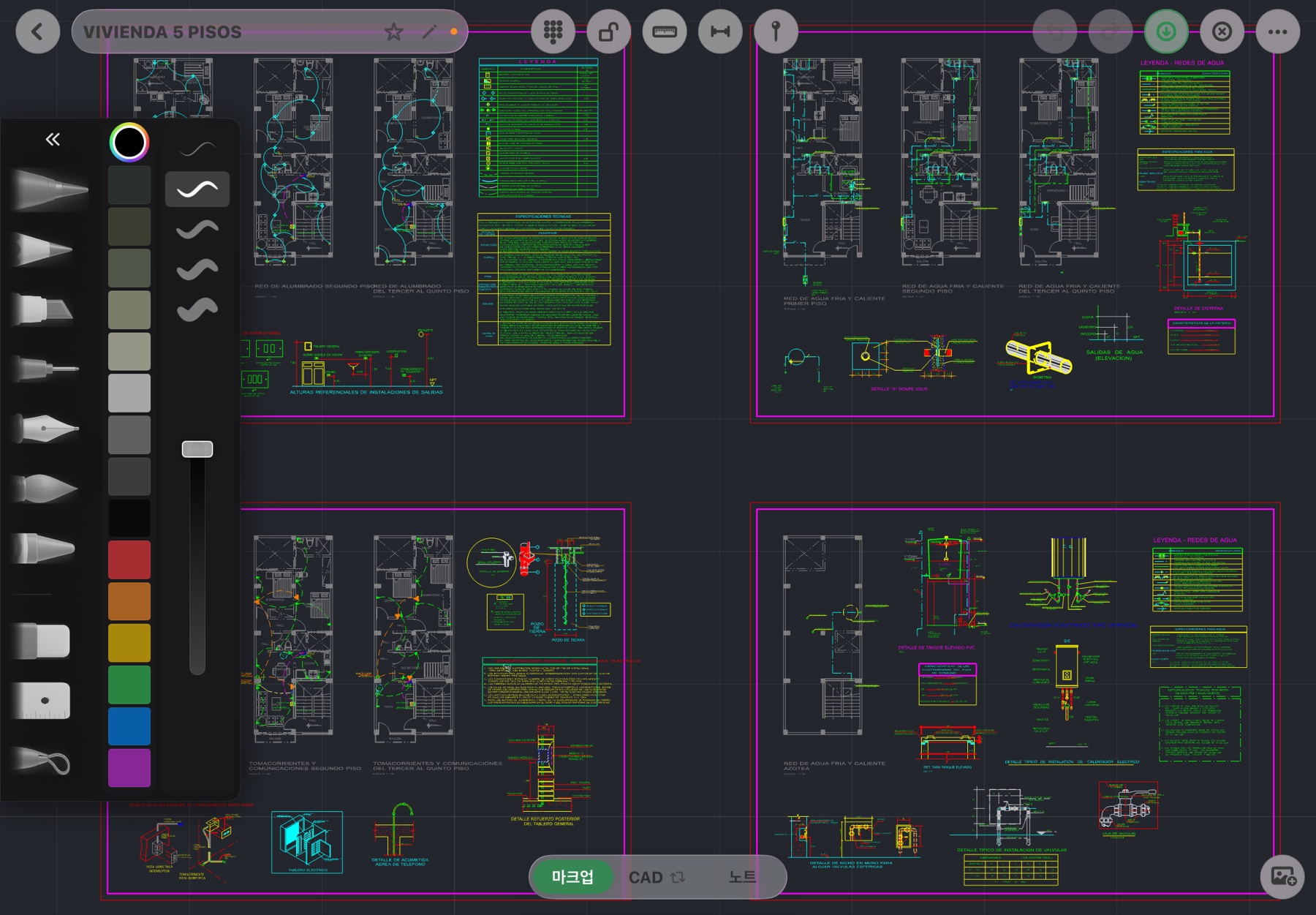
Pen, marker, pencil, eraser, lasso and ruler. Apple Pencil pressure feeds width directly; color and width come from the palette. Widths are in drawing units, so a heavy marker drawn at 1:50 means the same at 1:100. Undo and redo cover markup too.
Fingers and Pencil
Fingers pan, Apple Pencil draws. The Pencil never pushes the canvas, so you can rest your palm and draw without the drawing moving. In one-finger pan mode, lasso, eraser and move still work with the Pencil.
Steps
- Open the drawing and tap the Markup tab at the bottom. White sheet view or dark CAD mode — either works.
- Mark with the pen, lasso to move or erase, and turn the ruler on for straight lines.
- Drop a pin and attach a photo and a note. Pins always sit above markup and are locked to drawing coordinates.
- Write meeting notes on a note page (blank, ruled, dotted, grid, drafting grid) added inside the drawing file.
- Choose Report in the More menu for photos, notes and positions in table layouts, or Plot for ink and pins on a scale PDF with the drawing.
Markup doesn't touch CAD entities. To actually move a line, use the CAD tools (How to edit real drawings with a CAD app on iPad).
Marking up a PDF drawing
If all you have is a PDF, open it as an underlay and set the scale with two points. Markup, pins and CAD drafting work on top, and you can snap to the PDF's vector lines.
Handing off to the office
Markup ink and pins travel as plot PDF and report. DXF export carries CAD entities. Handwriting as PDF, geometry as DXF — what the site and the office each receive.
Fluxketch markup is locked to drawing coordinates and prints as-is into plots and reports. If you need site records with iPad and Apple Pencil, try the beta.
Download on the App Store