Fluxketch
What scale means
1:100 means 1 mm on paper is 100 mm in reality. A 3,600 mm wall draws as 36 mm at 1:100 and 72 mm at 1:50. If the drawing's unit (mm or m) is wrong the scale is wrong with it, so confirming the unit is where scale starts.
| Real length | 1:50 | 1:100 | 1:200 |
|---|---|---|---|
| 1 m | 20 mm | 10 mm | 5 mm |
| 3.6 m | 72 mm | 36 mm | 18 mm |
| 10 m | 200 mm | 100 mm | 50 mm |
Three ways scale goes wrong on paper
- Wrong drawing unit. Read a millimetre drawing as metres and it's 1,000× too small. Confirm the unit on open.
- The PDF was made without scale. A screen capture or a 'fit to page' PDF has no scale.
- The printer shrank it. With 'fit to page' on, an A3 drawing prints at 94%. The most common cause and the last to be noticed.
The 100 mm check ruler
The easiest way to catch the third cause is to print a 100 mm ruler on the paper. Measure it: 100 mm means the scale is right; 94 mm means printer scaling kicked in. It's the ruler that separates our scale from the printer's.
Plotting from iPad (in Fluxketch)
- Confirm the unit when the drawing opens (mm, cm, m, inch, ft).
- Choose Plot in the More menu and set the scale (1:1 to 1:1,000) and paper size.
- Plotting renders in the background, so the screen stays responsive. The share sheet opens when it's done.
- Send to an AirPrint printer, Mail, chat or the Files app. On the printer choose actual size (100%).
- Measure the 100 mm ruler on the print. If it isn't 100 mm, fix the print settings and reprint.
Markup ink and pins print at the same coordinates as the drawing. Sheet-view rules apply — black lines on white — with no page border.
Sheets only, and reports
If you need only some of the sheets, sheet issue exports the ones you pick. Pin photos, notes and positions print as a separate report in seven document formats (inspection, instruction, meeting and more). One plot PDF and one report is enough for a meeting.
True scale on screen
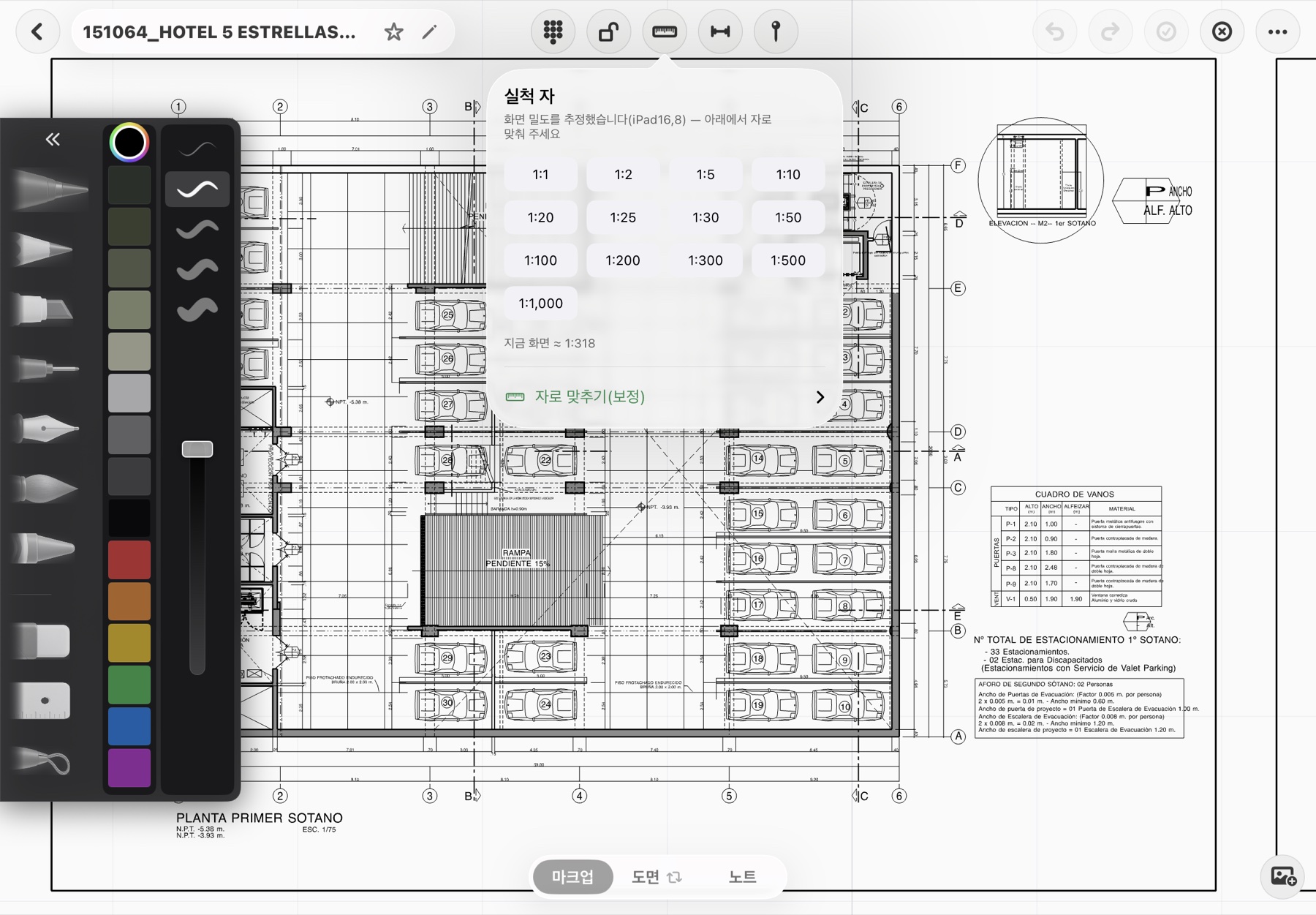
You can see true scale without paper. The true-scale ruler estimates each device's screen density so 1:50 shows as 1:50, and calibration checks it against a real ruler. Tap two points on screen and the real length appears with units.
Fluxketch plot PDFs carry the scale and a 100 mm check ruler. If you need scale-true output from iPad, try it in the beta.
Download on the App Store